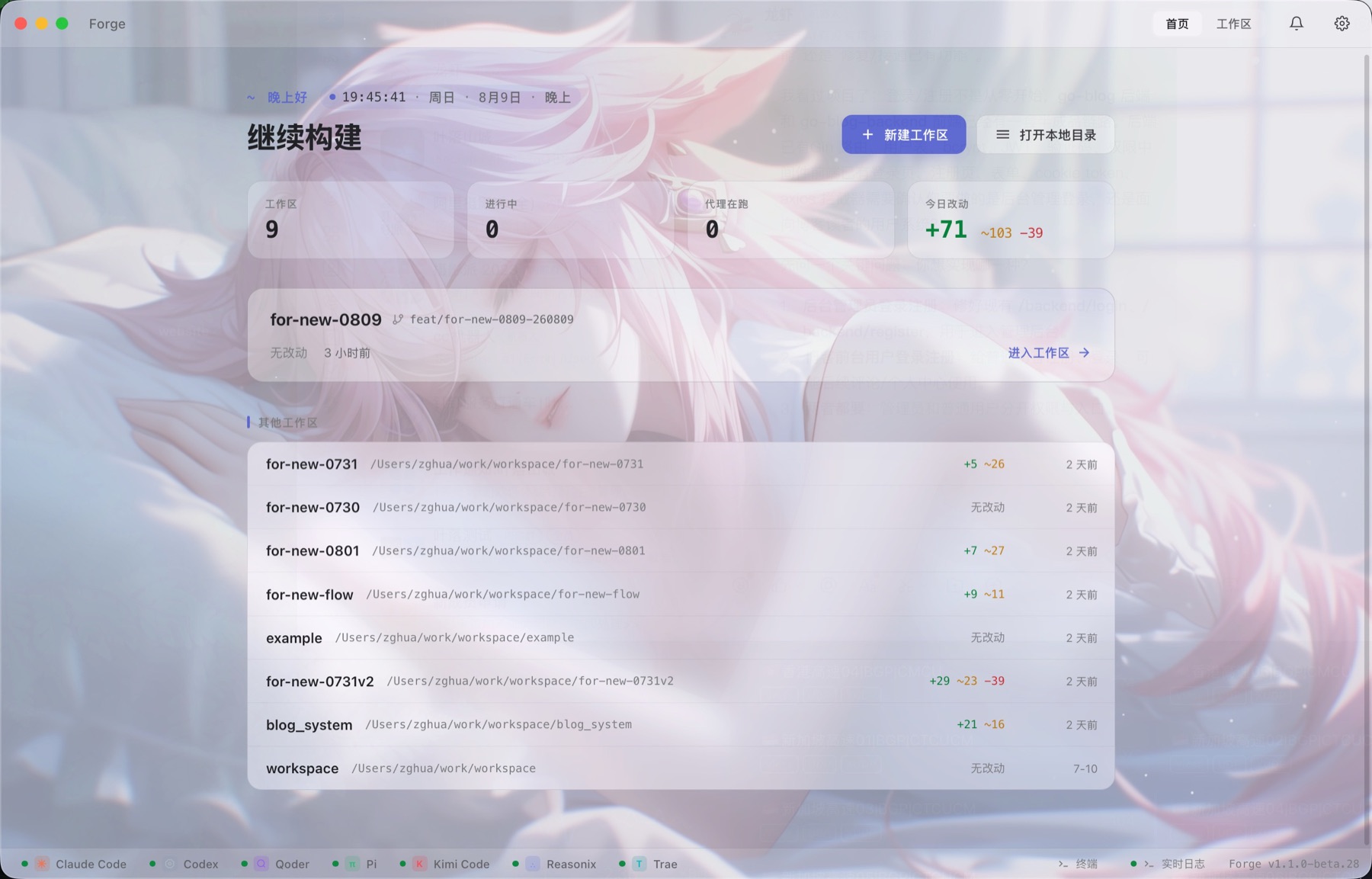
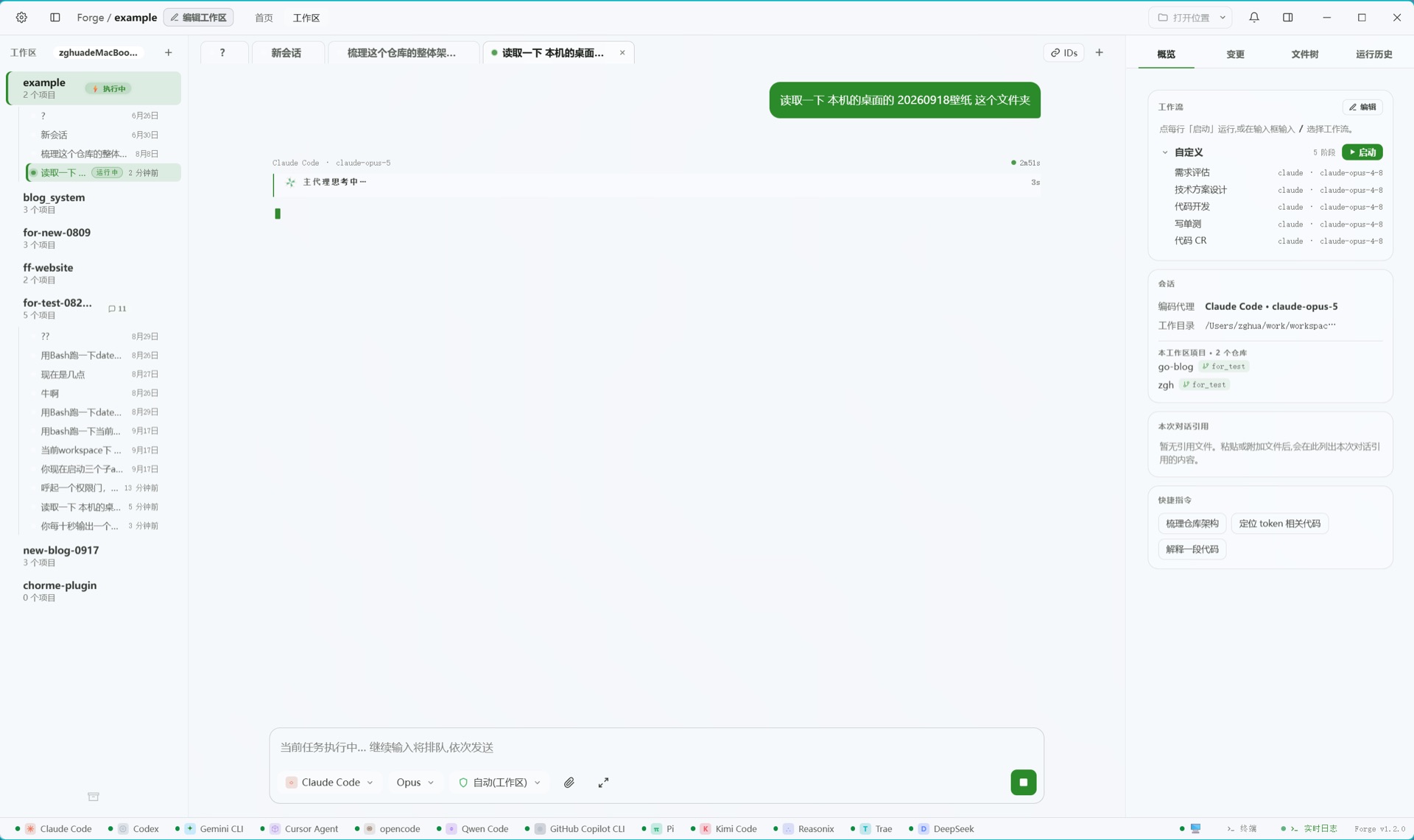
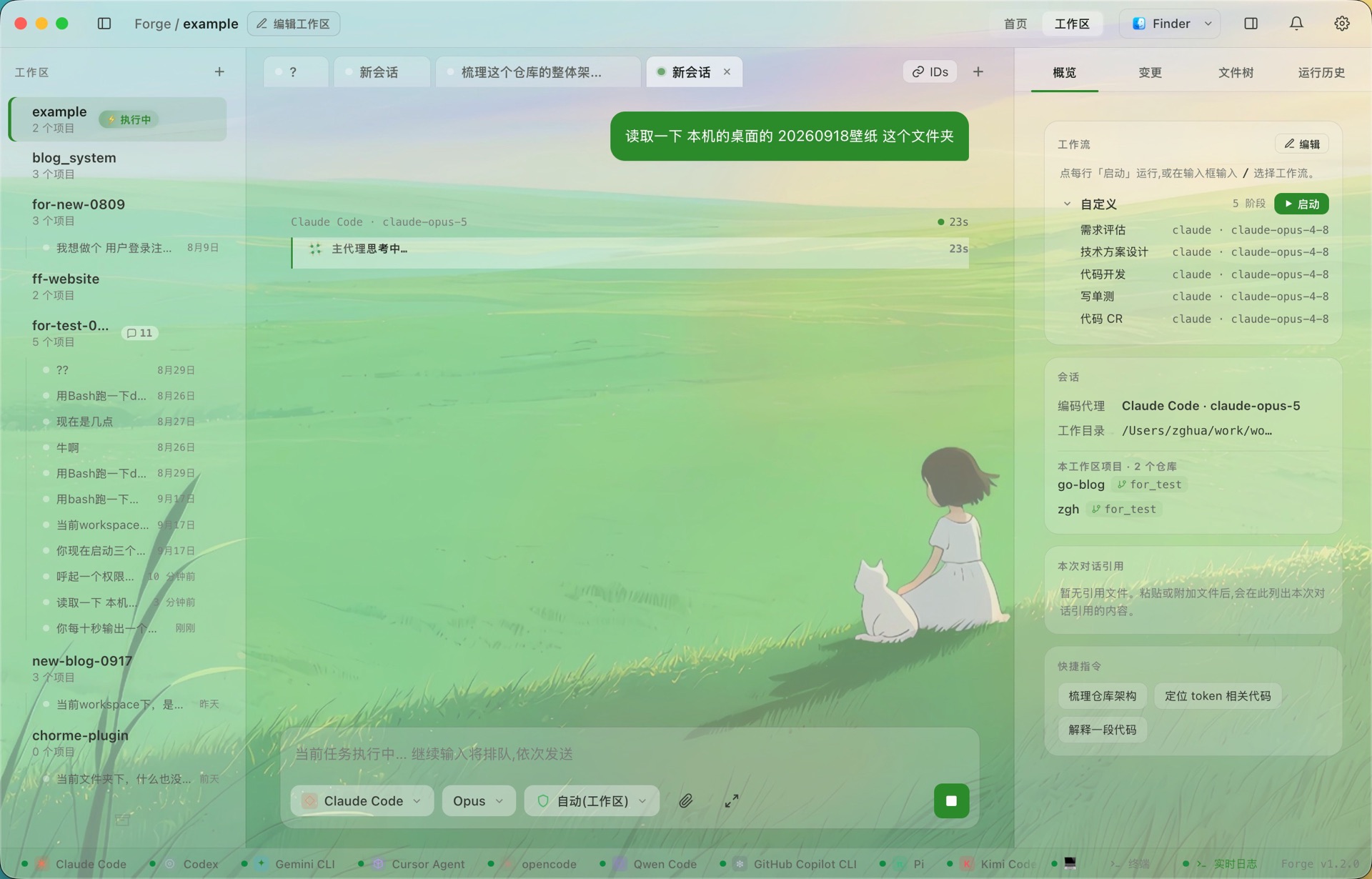
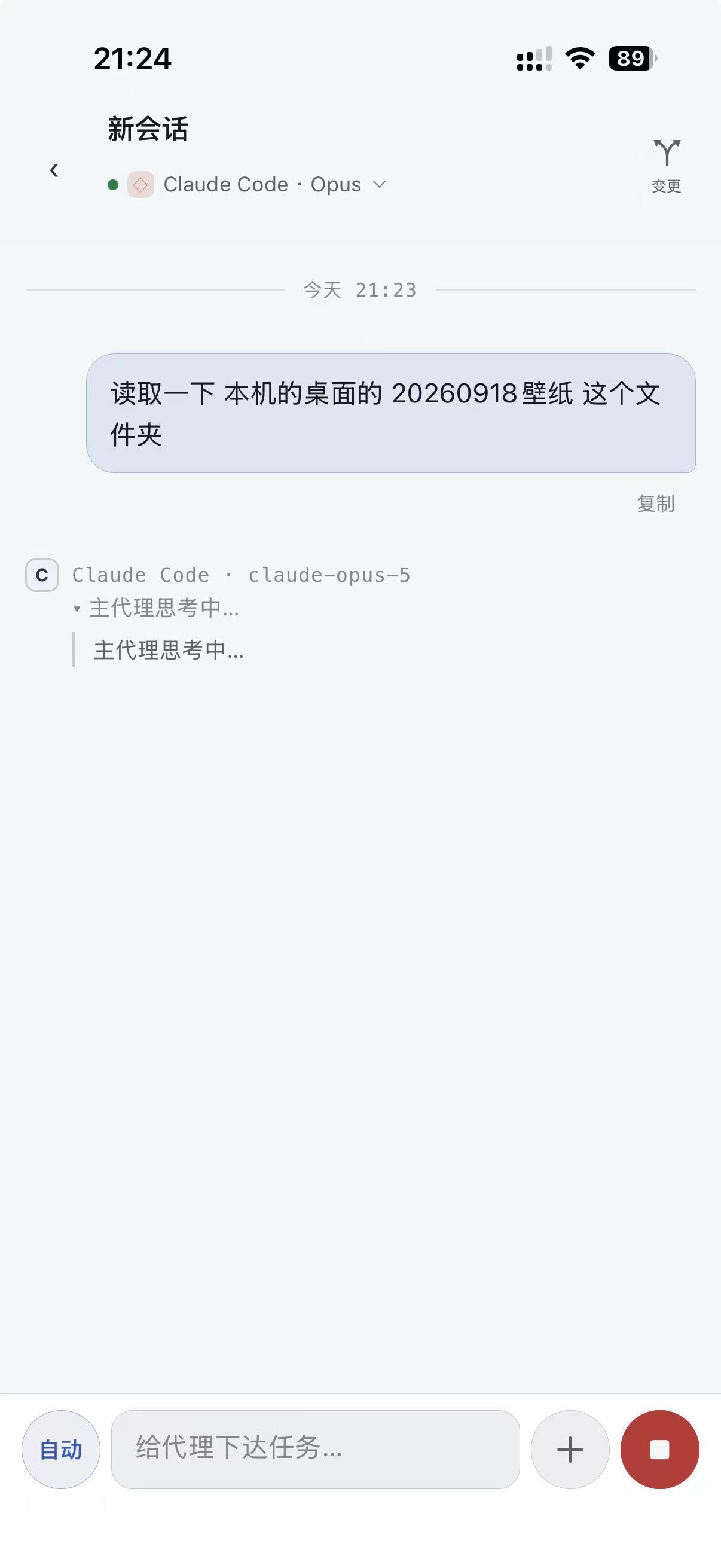
v1.1.0macOS · Windows · Linux · 手机端 · MIT 开源macOS · Windows · Linux · Phone · MIT licensed
myFlowForge
把 Claude Code、Codex、Cursor、Gemini、DeepSeek 等 14 个编码 CLI 收进同一个界面:同一个会话里随时换代理和模型、跨项目并行开发、用轻量工作流把每一步握在手里,还能在阶段之间挂上自己的 Hook。电脑、服务器、手机连成一套 —— 跨网络走端到端加密中转。Fourteen coding CLIs — Claude Code, Codex, Cursor, Gemini, DeepSeek and more — in one interface: swap agent and model mid-conversation, build across projects in parallel, keep every step in your hands with a lightweight workflow, and weave your own hooks between stages. Your desk, your servers and your phone, joined up — across networks through an end-to-end encrypted relay.
14 个编码 CLI 在同一个界面里共存。只要你在本机登录好了对应 CLI,myFlowForge 就能驱动它;模型列表从各 CLI 的本地配置读取,新模型跟随各家 CLI 自己更新,不代管你的 API Key。Fourteen coding CLIs side by side. If a CLI is installed and signed in on your machine, myFlowForge can drive it. Model lists are read from each CLI's local configuration, new models arrive through the CLI's own updates, and the app never holds your API keys.
同一个会话,随时换 agentSwitch agents mid-conversation
Codex 先聊需求,Claude 接着完善方案,qoder 再补单测,都可以在同一条会话里继续。你换的是执行者,不是重新开一段上下文。Start the requirement with Codex, let Claude refine the design, then switch to qoder for tests — all inside the same conversation. You change the executor, not the context.
真正并行的子代理Real parallel child agents
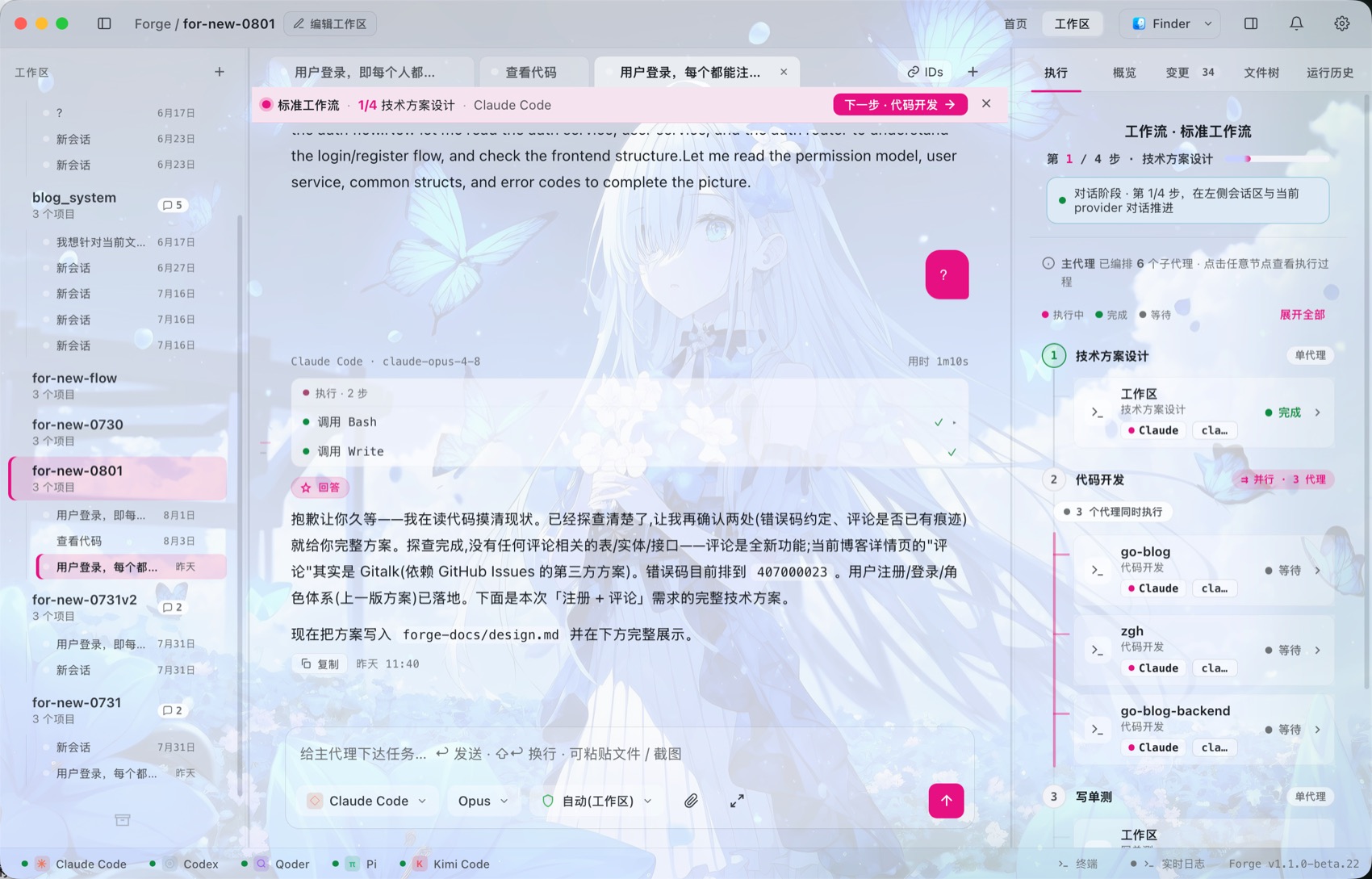
工作流阶段可以按项目扇出,多条代理进程同时跑。它不是单个模型内部的 subagent 文本模拟,而是 App 编排的真实执行泳道,日志、状态和产物都能分别追踪。Workflow stages can fan out by project across multiple live agent processes. These are not text-simulated subagents inside one model call: each lane has its own logs, state and artifacts.
轻量工作流,可用可不用Lightweight workflow, optional
平时可以像普通聊天一样用;任务复杂时再启动工作流。方案设计用 Codex,代码开发用 Claude,CR 用 Codex,单测交给 qoder,每一步都能手动确认。Use it like a normal chat when the task is small; start a workflow when the task gets serious. Design with Codex, develop with Claude, review with Codex, let qoder add tests — each step stays under your control.
Hook 微步骤Hooks between stages
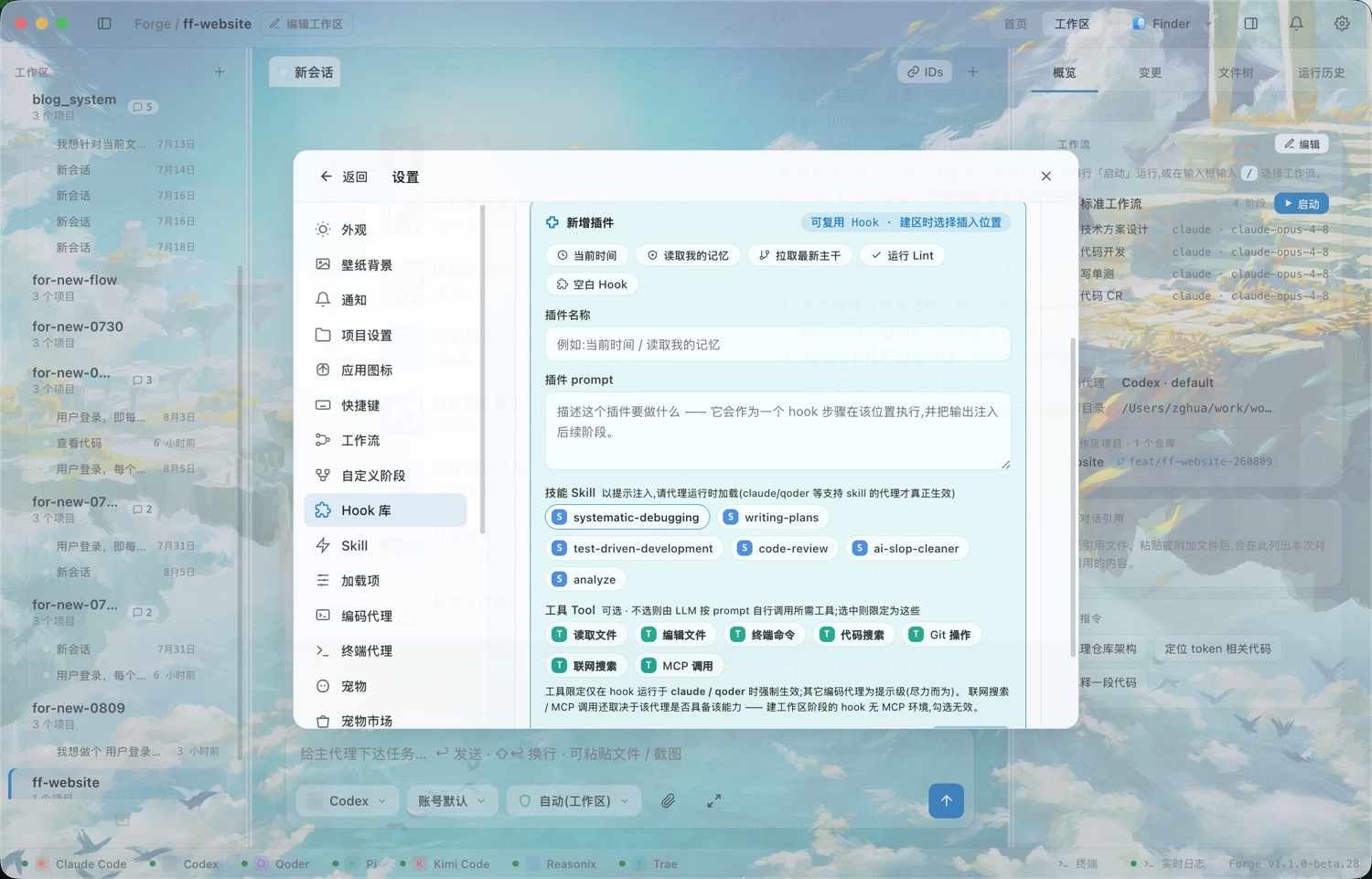
在任意阶段前后插入你自己的一步:跑 lint、同步文档、更新看板、发通知。Hook 以受限微代理的身份执行,失败可重跑 / 跳过 / 终止。Slot your own step before or after any stage: run lint, sync docs, update a board, ping a channel. Each hook runs as a restricted micro-agent — retry, skip or abort when one fails.
Skill、Rule、MCP 原样接入Skills, rules and MCP intact
用户本机已经安装的 Skill、Rule、MCP 可以直接预览和调用。输入命令时按当前 agent 过滤可用能力,执行日志里也能看到它实际加载了哪些上下文。Your existing local skills, rules and MCP servers can be previewed and invoked directly. Commands are filtered for the current agent, and live logs show what context was actually loaded.
多端互联Across devices
任何一台电脑都可以作为执行主机,代理、仓库和终端都在它上面运行;其他电脑和手机可以同时连上来,操作的是同一批工作区和会话。Any computer can be the host that runs the agents, repos and terminal. Other computers and phones can connect to it at the same time and work on the same workspaces and sessions.
Mac另一台电脑another computer
Windows另一台电脑another computer
执行主机Host电脑 AComputer A
macOS · Windows · Linux
编码代理Agents
仓库与 gitRepos & git
终端Terminal
工作流Workflows
iPhoneiOS
安卓手机Android phoneAndroid
连接方式:局域网直连 · SSH · 端到端加密中转Connected over LAN · SSH · end-to-end encrypted relay
可以任意组合Any combinationMac → MacMac → WindowsWindows → MacWindows → Windows电脑 → Linux 服务器Desktop → Linux serveriOS / 安卓 → 任意一台电脑iOS / Android → any computer
同一个会话,同时在 Mac、Windows 和 iPhone 上打开One session, open on a Mac, a Windows PC and an iPhone at the same time
三平台都能装Three desktop platforms
macOS(Apple 芯片 & Intel 双架构)、Windows x64 安装器、Linux 无头 daemon —— 都有打好的包,下载就能用。macOS (Apple Silicon & Intel), a Windows x64 installer, and a headless Linux daemon — all packaged and ready to download.
手机端不是只读的The phone is a real client
iOS 和安卓。边流边看对话、答权限门和方案门、翻改动的文件、建工作区、编工作流、切主机。代理弹了确认卡在那儿等你,而你不在电脑前 —— 这个 app 就是为这一刻做的。iOS and Android. Watch the conversation stream, answer permission and plan gates, browse changed files, create a workspace, edit a workflow, switch host. An agent hits a confirmation and sits there waiting while you are away from the desk — that is what this is for.
跨网络:端到端加密中转Across networks: an encrypted relay
家里的电脑在 NAT 后面也能连。中转是个哑管道 —— 流过它的每一个字节都是密文,它没有密钥、也永远不会有,能干的唯一坏事是丢包。所以用别人的中转也安全。十分钟搭一个 →Reach a machine behind NAT. The relay is a dumb pipe — every byte crossing it is ciphertext, it holds no key and never will, and the worst it can do is drop packets. Which is why using someone else's relay is just as safe. Set one up in ten minutes →
三种连法,平级Three ways in, all equal
局域网直连、复用现成的 SSH、或者走中转。不是降级链 —— 直连和中转可以同时配好:同一枚配对码,在家走局域网,出门自动走中转。Direct over the LAN, an SSH login you already have, or the relay. Not a fallback chain — direct and relay can both be configured at once: one pairing code, LAN at home, relay when you are out.
服务器上跑,扫码接管Run it on a server, pair by QR
Linux 上跑的是同一份代码去掉界面的 daemon。myflowforge-daemon pair 会直接在终端里画出二维码 —— 对着 SSH 窗口扫一下就配对完成。On Linux you run the daemon — the same codebase without a window. myflowforge-daemon pair draws a QR code right in the terminal; scan it straight off your SSH session.
连聊天软件也算一端Your chat app counts too
渠道机器人接入钉钉、Telegram、飞书 —— 在群里就能答门、看结果、发起对话、驱动工作流。Channel bots plug into DingTalk, Telegram and Feishu — answer gates, check results, start a conversation and drive workflows without leaving the chat.
工作流Workflow
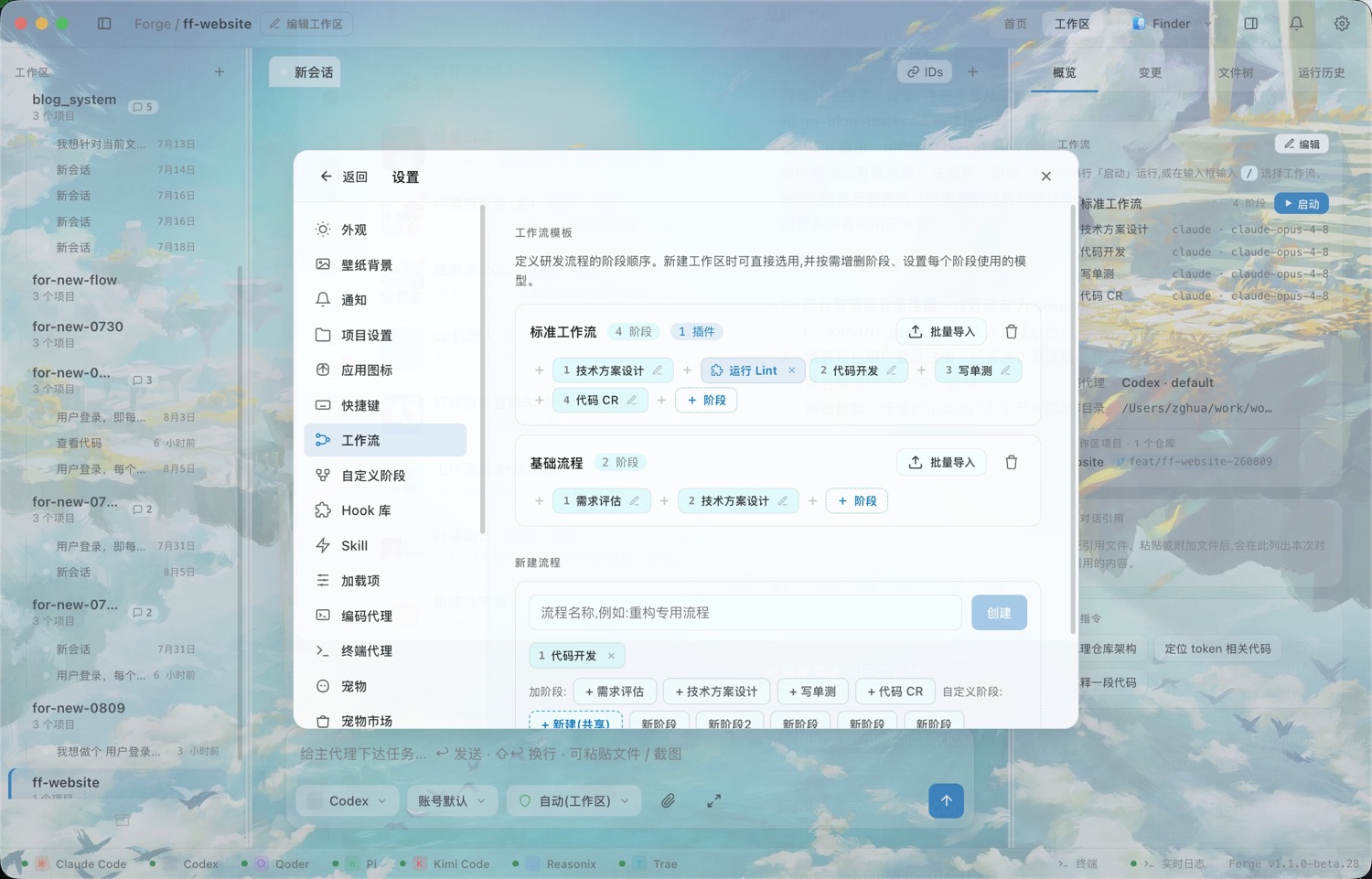
工作流可以自己定义:拆成几个阶段、每个阶段做什么,由你决定;每个阶段还能分别指定 provider 和模型。启动后逐个阶段在会话里推进,确认没问题再进入下一步。Workflows are yours to define: how many stages, and what each one does. Every stage can use its own provider and model. Once started, stages advance one at a time inside the chat, and the next one begins only after you confirm.
1
挑一条工作流,或者临时拼一条Pick a workflow — or assemble one on the spot
内置阶段随便勾,自定义阶段从全局库里取;每个阶段单独指定代理、模型、权限档位,以及是单代理还是按项目扇出。Tick the built-in stages, pull custom ones from your global library. Each stage gets its own agent, model, permission level, and whether it runs once or fans out per project.
2
在会话里推进当前阶段Drive the current stage in chat
顶部的 ribbon 一直显示「第几步 / 共几步 · 正在用哪个代理」。不满意就直接接着聊,聊到满意为止 —— 不用重跑整段。A ribbon at the top always shows step N of M and which agent is driving. Not happy? Just keep talking until you are — no need to re-run the whole segment.
3
按「下一步」才换挡Shift gears only on Next
切换到下一阶段时才生成交接稿。技术方案会落成一份真实的 markdown 文档,作为跨代理的唯一契约 —— 下游代理读整份文档,而不是读一段被压缩过的摘要。The handoff note is written only when you move on. The technical design lands as a real markdown document that serves as the single cross-agent contract — downstream agents read the whole thing, not a lossy summary.
4
尾段可以放开跑Let the tail run wide
到了「代码开发」这种按项目扇出的阶段,多个代理并行开工,右侧执行面板实时显示每条泳道的状态、工具调用和产物。Once you reach a fan-out stage like Develop, several agents work in parallel — the execution panel on the right streams each lane's status, tool calls and artifacts live.
阶段编排 —— 每个阶段挑自己的代理和模型,「代码开发」按项目扇出Stage composition — each stage picks its own agent and model; Develop fans out per project
STAGE 1
需求评估Requirement
单代理 · 澄清要做什么single agent · clarify
HOOK SLOT
插入 HookInsert hook
前 / 后都可以before / after
STAGE 2
技术方案设计Design
产出 design.md 契约writes design.md
HOOK SLOT
运行 LintRun lint
也可换成任意 Hookor any hook
GATE
你来拍板You approve
批准 / 打回 / 补充要求approve · reject · amend
STAGE 3
代码开发Develop
按项目扇出 · 并行泳道fan out per project
HOOK SLOT
同步 / 通知Sync / notify
可复用 Hook 库from hook library
STAGE 4
写单测Test
可跳过skippable
STAGE 5
代码 CRCode review
多镜头并行评审multi-lens review
Hook 不是固定一步Hooks are not one fixed step
任意阶段之前或之后都能插入 Hook:读取记忆、拉取最新主干、运行 Lint、同步文档、发渠道通知,都可以按场景组合。Insert hooks before or after any stage: read memory, pull latest main, run lint, sync docs or notify a channel.
流程也不是固定这一条The flow is not fixed either
默认流程只是模板。你可以保存“只评审方案”“修 bug 专用”“重构专用”“发版前检查”等自定义工作流。The default flow is only a template. Save custom flows for design-only review, bug fixes, refactors, pre-release checks and more.
执行面板 —— 6 个子代理的编排全程可见,点任意节点看它做过什么Execution panel — all six sub-agents visible; click any node to see what it did
可观测Observability
思考、工具调用、文件改动、原始输出,全部实时流式呈现。哪条泳道卡住了、哪一步花了多久、谁改了哪个文件,都不用猜。Thinking, tool calls, file changes and raw output all stream in live. Which lane stalled, how long a step took, who touched which file — no guessing.
实时日志控制台Live log console
可按会话、按代理筛选filter by session or agent
运行历史Run history
回看每次跑的完整过程replay any past run
改动证据Change evidence
跨项目 diff 一起核对cross-project diffs together
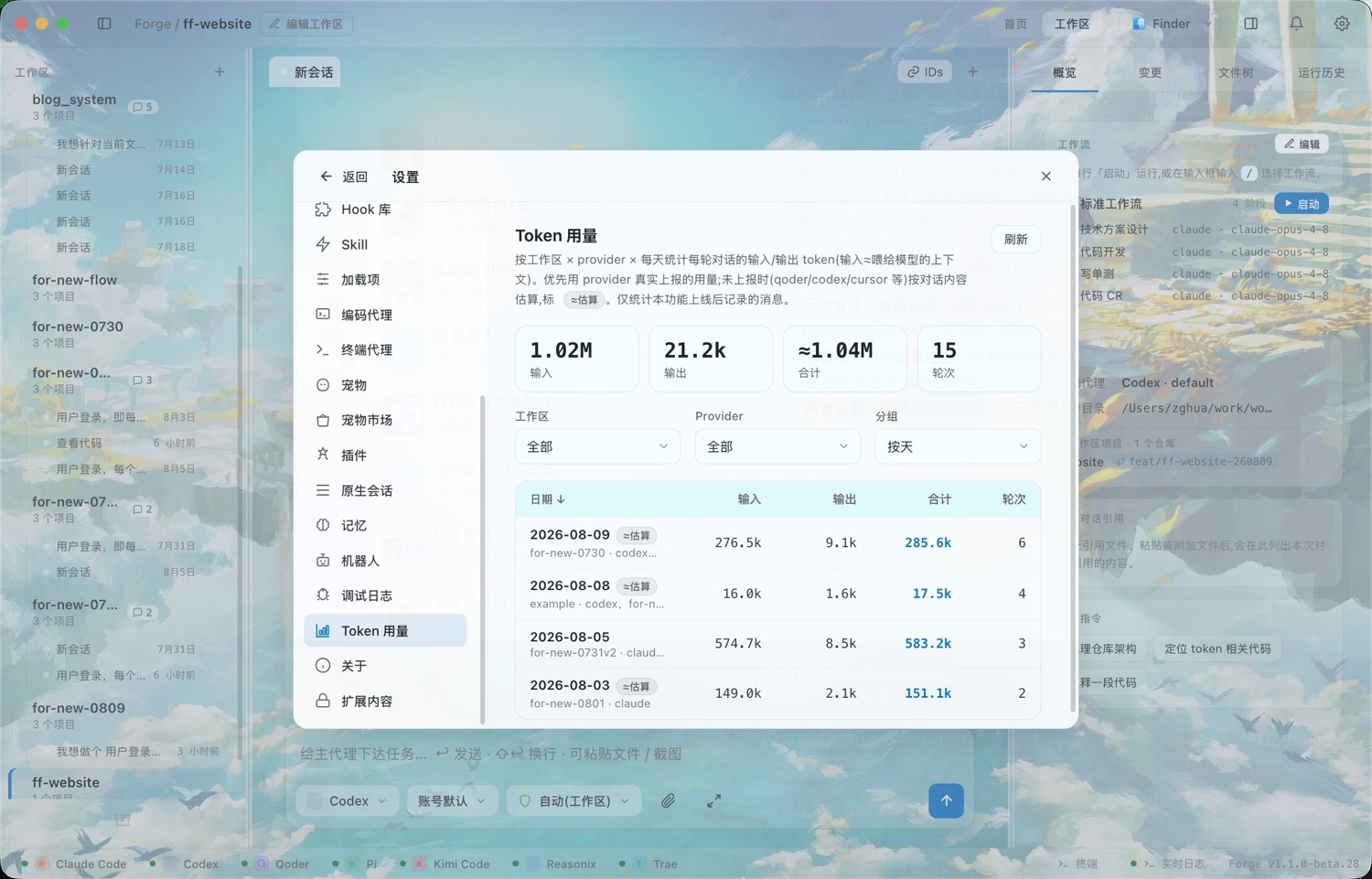
Token 用量统计Token usage
按工作区 × 代理 × 天汇总by workspace × agent × day
支持的代理Agents
myFlowForge 只是驱动你本机已经登录好的 CLI,不代管任何 API Key,也不替你转发请求。没装的代理会在设置里提示怎么装。myFlowForge simply drives the CLIs already installed and authenticated on your machine. It stores no API keys and proxies no requests. Anything missing is flagged in Settings with install guidance.
各编码代理在 myFlowForge 中的能力支持矩阵
代理Agent
对话Chat
工作流Workflow
原生续聊Native resume
MCP
模型来源Models
Claude Code
✓
✓
✓
✓
本地 CLI 动态发现discovered from CLI
Codex
✓
✓
✓
✓
本地 CLI 动态发现discovered from CLI
Cursor
✓
✓
✓
✓
本地 CLI 动态发现discovered from CLI
qoder
✓
✓
✓
✓
动态发现 + 可自定义discovered + custom list
opencode
✓
✓
✓
✓
多厂商网关multi-vendor gateway
Gemini
✓
✓
—
✓
预置列表preset list
Qwen
✓
✓
—
✓
预置列表preset list
Copilot
✓
✓
—
✓
预置列表preset list
Pi
✓
✓
—
—
账号默认 / 自定义account default / custom
Kimi
✓
✓
—
—
kimi-k2.5 · 256K
Reasonix
✓
✓
—
—
deepseek-flash / reasoner
Trae
✓
✓
—
—
账号默认(/model 或 trae_cli.yaml)account default (/model or trae_cli.yaml)
「原生续聊」= 直接接着该 CLI 自己的历史会话往下聊;没有原生支持的代理,myFlowForge 会用自己的上下文重建方式续。
Trae(字节 TraeCode CLI)不走 npm,用官方 install.sh 装到 ~/.local/bin,记得把它加进 PATH。"Native resume" means continuing that CLI's own session history directly. Where it isn't supported, myFlowForge reconstructs context on its own.
Trae (ByteDance's TraeCode CLI) doesn't ship on npm — its official install.sh puts it in ~/.local/bin, so make sure that's on your PATH.
其他功能More features
原生会话导入Native session import
只读扫描本机 Claude / Codex / Cursor / qoder 的历史会话,导入成工作区接着聊。Read-only scan of your local Claude / Codex / Cursor / qoder history — import as a workspace and continue.
Token 与额度Token usage & quota
记录每日 token 用量,也能通过插件显示各家账号的剩余额度与重置时间。Track daily token usage, and use plugins to surface provider quota and reset times.
渠道机器人Channel bots
钉钉、Telegram、飞书都能双向应答:在群里答确认门、看结果、发起对话、控工作流。Two-way on DingTalk, Telegram and Feishu: answer gates, check results, start a chat and drive workflows without leaving it.
文件浏览与 DiffFile browser & diff
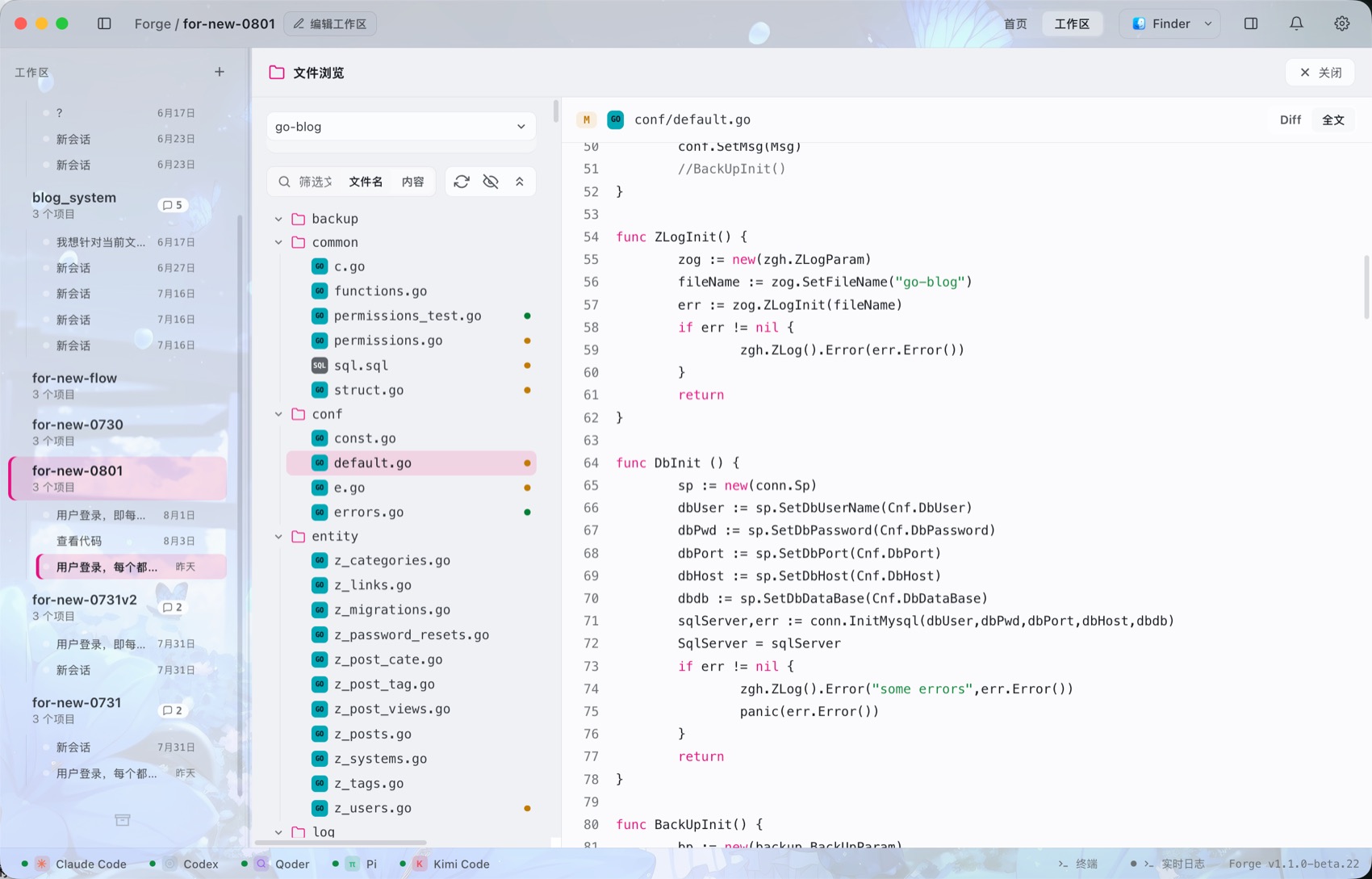
全屏文件树 + 语法高亮预览,Diff / 全文双视图,按文件名或内容筛。Full-screen tree with syntax-highlighted preview, diff-or-full toggle, filter by name or content.
内置终端Built-in terminal
真 pty,直接承载你本机 zsh 等终端样式;还支持终端代理、常用端口预设与出口 IP 检测。A real pty that preserves your local zsh-style terminal look, with proxy presets and outbound IP checks.
字体与阅读密度Typography controls
字体形态、字号、加粗、行间距、字间距、终端字体和面板密度都能调,适合长时间盯代码。Tune font family, size, weight, line height, letter spacing, terminal font and panel density for long coding sessions.
Skill / 命令 / 插件Skills, commands, plugins
输入 / 唤出本机真实存在的命令、Skill、Rule 与插件,按代理自动过滤。直接读各家自己的目录和插件体系,不改你任何一个 CLI 的配置。Type / for the commands, skills, rules and plugins actually on disk, filtered per agent. They are read from each CLI's own directories and plugin system, and no CLI's config is ever modified.
MCP 授权MCP authorisation
看每个 CLI 配了哪些 MCP 服务器,在应用里直接登录 / 取消授权,不用切回终端。See which MCP servers each CLI has configured, and log in or revoke them from the app instead of dropping back to a terminal.
背景图Background image
内置 300+ 张壁纸画廊,也可以用自己的图;铺整窗还是只铺对话区由你定,首页可以单独换一张,可见度和模糊都能调。A built-in gallery of 300+ wallpapers, or bring your own. Choose whether it covers the whole window or just the chat area, give the home screen a different one, and tune opacity and blur.
工作区记忆Workspace memory
按工作区存的笔记,代理下次能读回去 —— 长线的活儿不用每次重新交代一遍背景。Notes kept per workspace that agents read back next time — long-running work stops needing the same briefing every session.
对话里的图与可视化Images & visuals in chat
代理在磁盘上生成的图直接显示在回复里,点开看原尺寸;它写的 HTML 片段还能渲染成真的卡片和图表(默认关)。An image the agent produced on disk renders right in the reply, click for full size; HTML fragments it writes can become real cards and charts (off by default).
Codex 逐字输出Codex streams word by word
切到常驻 app-server 通路,Codex 会边写边发,不再「想很久然后几千字一次性砸出来」。Switch to the persistent app-server transport and Codex emits as it writes, instead of thinking for a while then dumping a few thousand words at once.
桌面宠物Desktop pet
跟随焦点屏幕、预览代理动态、弹确认卡,还有宠物市场可以逛;还会随着你干活分阶段长大。Follows your focused screen, previews agent activity, pops confirmation cards — and there's a pet market to browse. It also grows through stages as you work.
窗口透明与磨砂Transparency & frosted glass
多套主题皮肤、跟随壁纸变色、透明和毛玻璃效果,壁纸库 250+ 张并持续更新。Multiple skins, wallpaper-aware coloring, transparency and frosted glass, with a 250+ wallpaper library that keeps growing.
工作区管理Workspace management
工作区可置顶、归档、彻底删除;也能一键用 Finder、IDE 或自定义程序打开目录。Pin, archive or permanently delete workspaces, and open folders with Finder, an IDE or a custom app.
技能市场Skill market
浏览 Claude Code 与 Codex 官方插件市场(插件内含 skill、命令、子代理),搜索、一键安装或卸载,装一次所有工作区共用。Browse the Claude Code and Codex plugin marketplaces (skills, commands and sub-agents), search, and install or remove in one click — shared by every workspace.
加载项Add-ons
集中列出各 CLI 全局装了哪些 skill、规则文件(CLAUDE.md / AGENTS.md / GEMINI.md)和 MCP 服务器,按代理、类型筛选,可直接移除。One list of the skills, rule files (CLAUDE.md / AGENTS.md / GEMINI.md) and MCP servers installed globally for each CLI — filter by agent or type, remove in place.
权限三档Three permission modes
只读审阅 / 自动(工作区)/ 完全访问,输入框旁切换或按 Shift+Tab;默认只允许改工作区内的文件。Read-only / Auto (workspace) / Full access, switched beside the input box or with Shift+Tab. The default only allows edits inside the workspace.
消息排队Message queue
代理还在跑时可以继续输入、回车,消息按顺序排队,当前回合结束后自动发出。Keep typing while the agent is still working; messages queue in order and are sent automatically when the current turn ends.
通知Notifications
需要确认、需要输入、执行完成三类事件分别开关;应用在后台时弹系统通知,点击直接跳回对应会话;手机端支持推送。Separate toggles for confirmation needed, input needed and run finished. System notifications fire while the app is in the background and jump to the session on click; the phone app gets push.
快捷键Keyboard shortcuts
15 个动作全部可改键,带冲突提示;显示/隐藏主窗口、桌面宠物两个是全局快捷键,应用在后台也能用。All 15 actions can be rebound, with conflict warnings. Show/hide the main window and the desktop pet are global shortcuts that work while the app is in the background.
应用图标App icon
5 套应用图标可选;可以常驻 macOS 菜单栏 / Windows 托盘,点一下唤出主窗口。Five app icons to choose from, plus an optional macOS menu-bar / Windows tray icon that brings up the main window.
NSFW 功能NSFW support
默认隐藏,需授权码开启,联系作者获取,仅供成年人。Hidden by default; needs an activation code from the author; adults only.
个性化Make it yours
6 套原创皮肤、12 种强调色,深浅色随时切;背景图可以用 300+ 张的内置画廊也可以用自己的图,铺整窗还是只铺对话区由你定,还能让整套配色跟着壁纸自动推导;字体、字号、面板密度和窗口磨砂度都能自己调。Six original skins and twelve accent colours, light or dark at any time. The background image comes from a built-in gallery of 300+ wallpapers or a picture of your own — covering the whole window or just the chat area, your choice — and the entire palette can be derived from whatever wallpaper you picked. Fonts, sizes, density and window frost are all adjustable.